B2B Complex System
NINA Manager
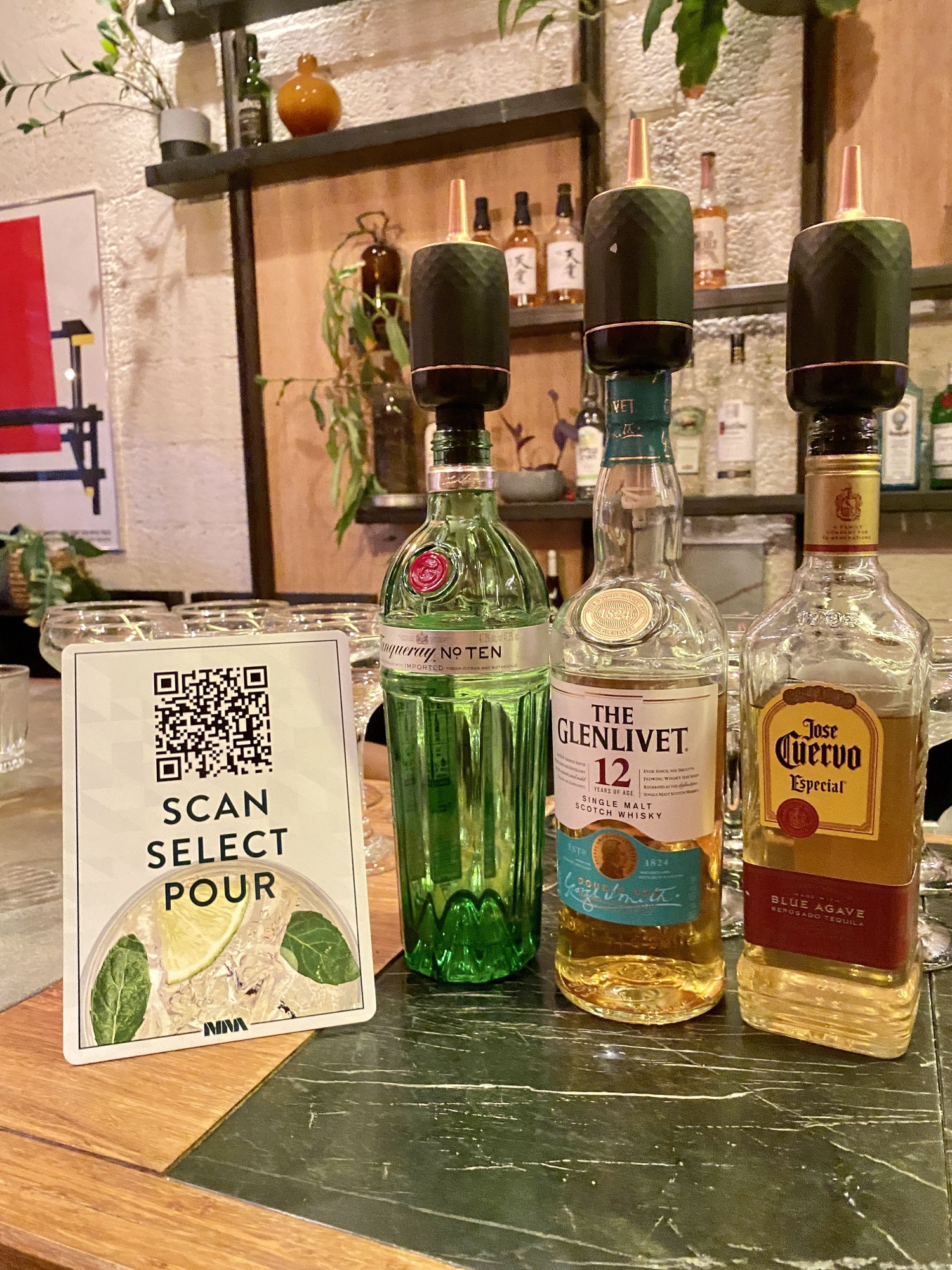
NINA is a smart liquor pourer that locks onto any bottle, so guests pay for the exact amount poured.
NINAs are deployed across stadiums and VIP venues. Clients scan a QR code, select their spirit and pour their drink on demand.
Designed for speed in chaotic environments.
- 6 months
- CTO, Developers, Operations Team
- Stadiums, Hotels, VIP Lounges
- Sole designerEnd-to-end ownership, working directly with the CTO and CEO
- Alerts → devicesScope grew from an alerts system to full device management
- 30% engagementBoost across NINA’s B2C and B2B apps from better user flows
Application remake
- The platform’s scope changed from an alerts system to a full device management system.
- Clients needed to know their devices’ status anytime and anywhere.
- The focus shifted to dashboards, insights and quickly scannable items.
My role
- Sole product designer in an agile environment, with end-to-end ownership.
- Balanced feature ambition with technical constraints and hardware limitations alongside engineering.
- Ran user interviews and stakeholder sessions with operations teams to validate decisions and inform priorities.
User personas
- High engagement: venue operators who monitor NINAs across venues, need quick status updates and act in the app regularly.
- Low engagement: venue managers interested in revenue and consumption patterns, mostly checking the home screen.
Product discovery
- Operators needed rapid status checks and quick actions during high-volume service.
- Stakeholders needed the platform to demonstrate NINA’s ROI and revenue impact to potential clients.
- Research revealed a clear hierarchy: high-frequency maintenance versus lower-frequency configuration.
A real-life station
- Operators need an on-the-go platform while moving between stations and fixing issues.
- Replenishing liquor, recharging devices and fixing network errors happen often.
- The app should help operators analyze issues and execute quick solutions.
Information architecture
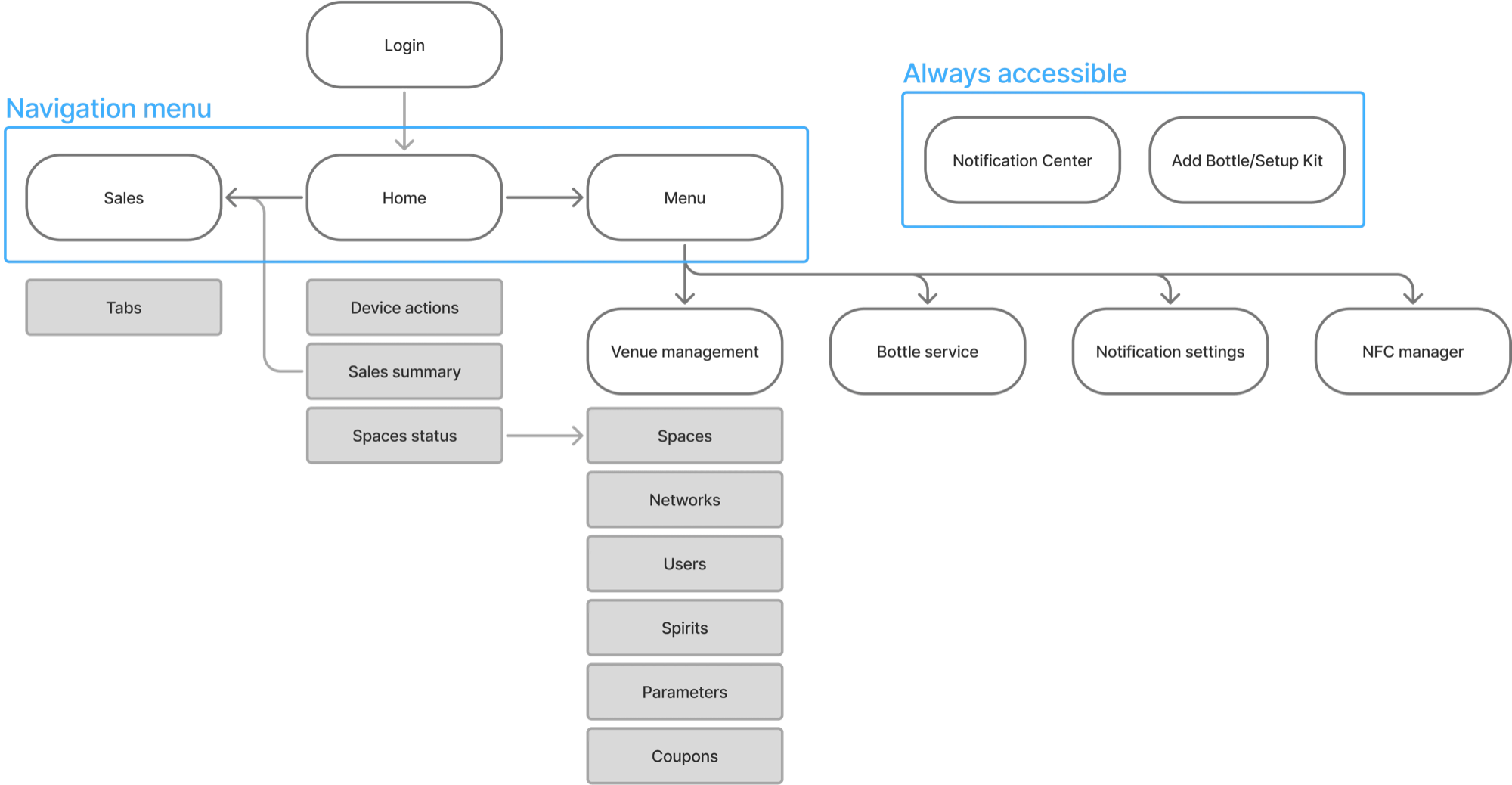
Drag to compare
Redesign of the home screen
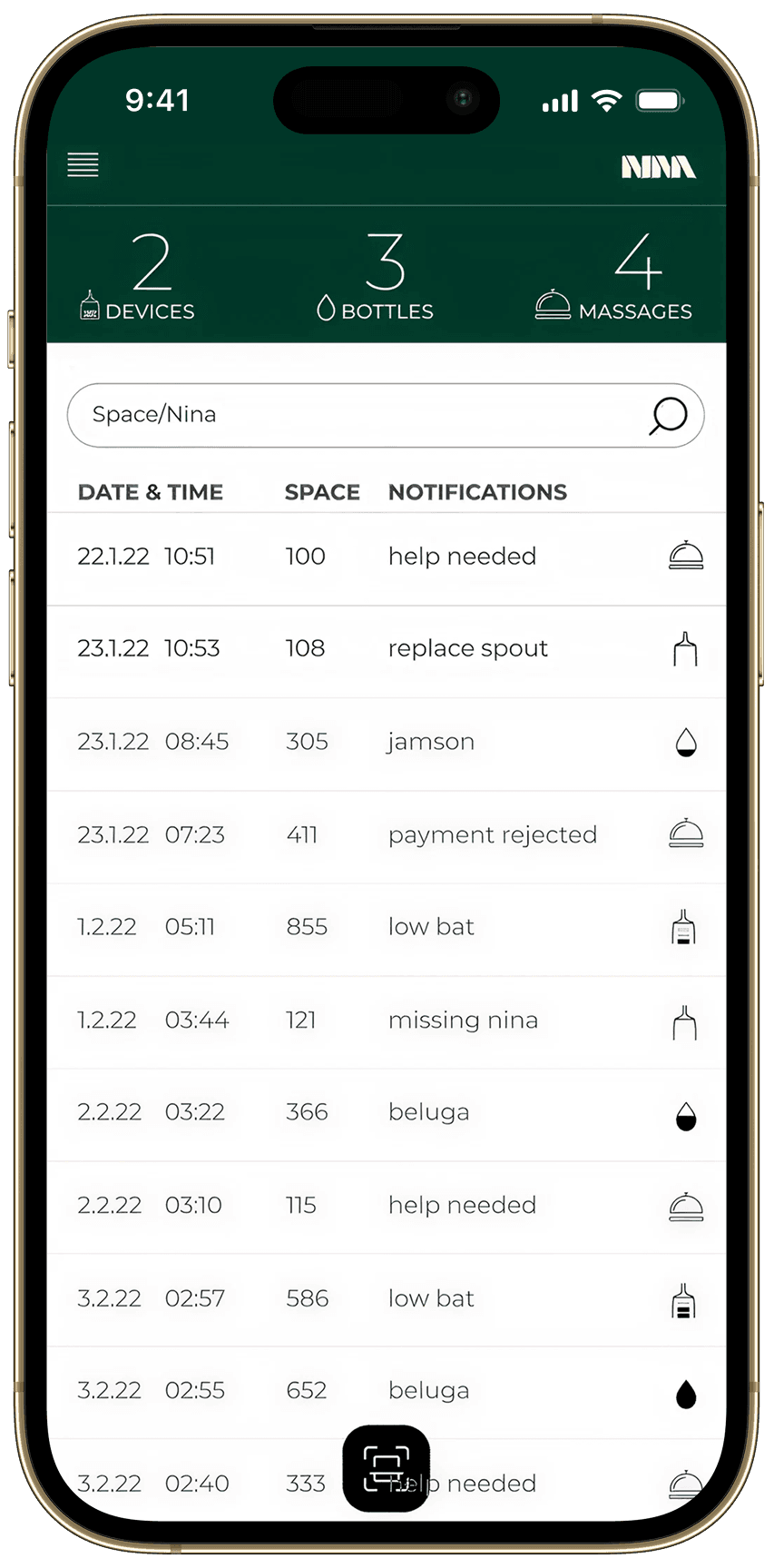 BeforeAfter
Outdated interface
Text-heavy and visually dated, creating immediate cognitive overload.
Modern look
Refined color contrast and card layouts reduce noise and improve hierarchy.
Irrelevant metrics
No visual hierarchy or actionable patterns, forcing operators to scan manually for urgent issues.
Minimize attention
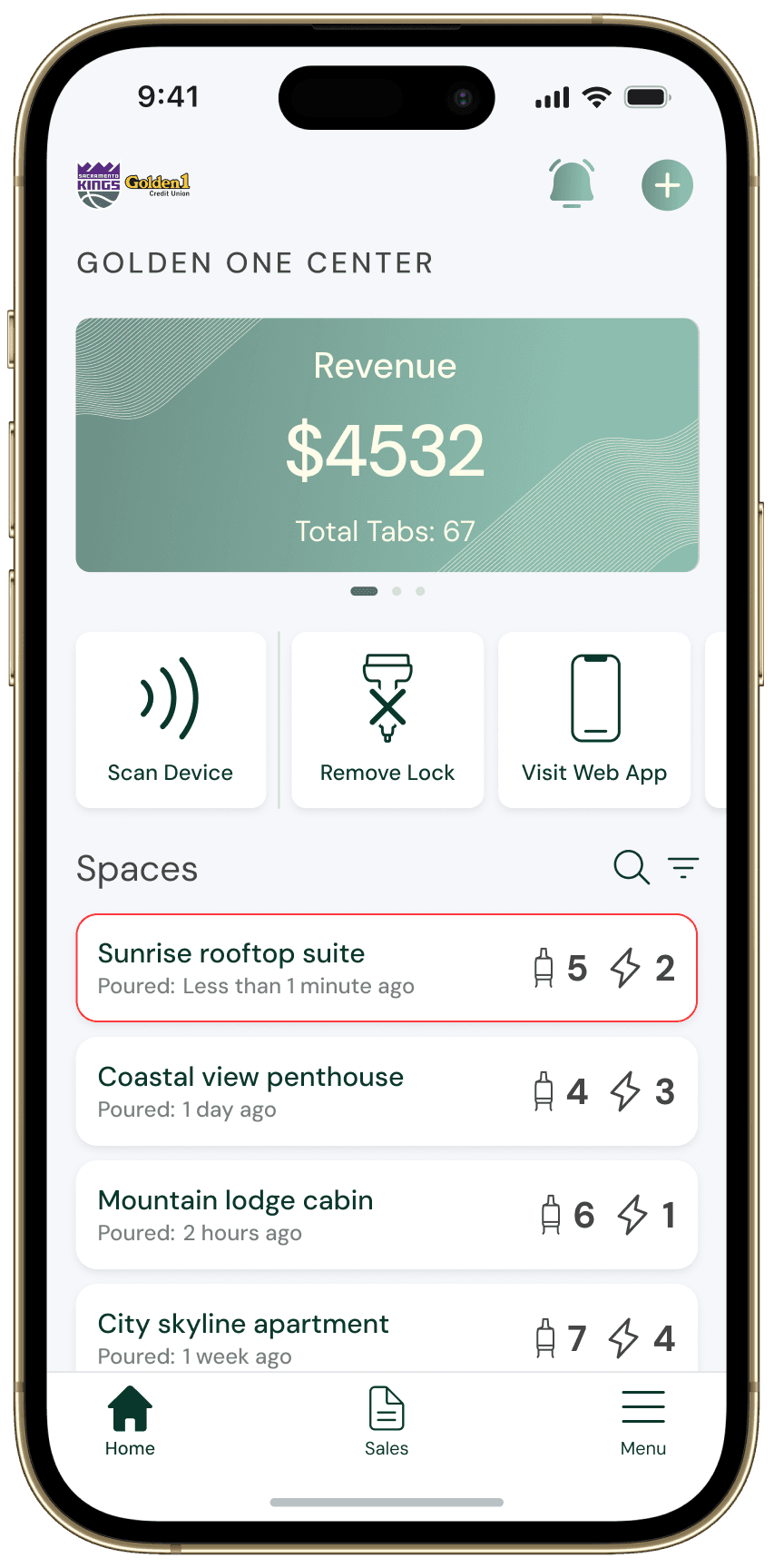
KPIs in a top widget for quick tracking, with color-coded status indicators for rapid venue assessment.
Lacks simplicity
Not optimized for the quick mobile status checks venue operators needed.
Improved architecture
Three separate scrollable sections declutter the interface and center high-frequency tasks.
Focuses on problems
The home screen highlighted system alerts, priming operators to expect issues rather than actions.
Revenue and operations first
The most-trafficked screen highlights revenue and operations first, to prime problem-solving.
Device management
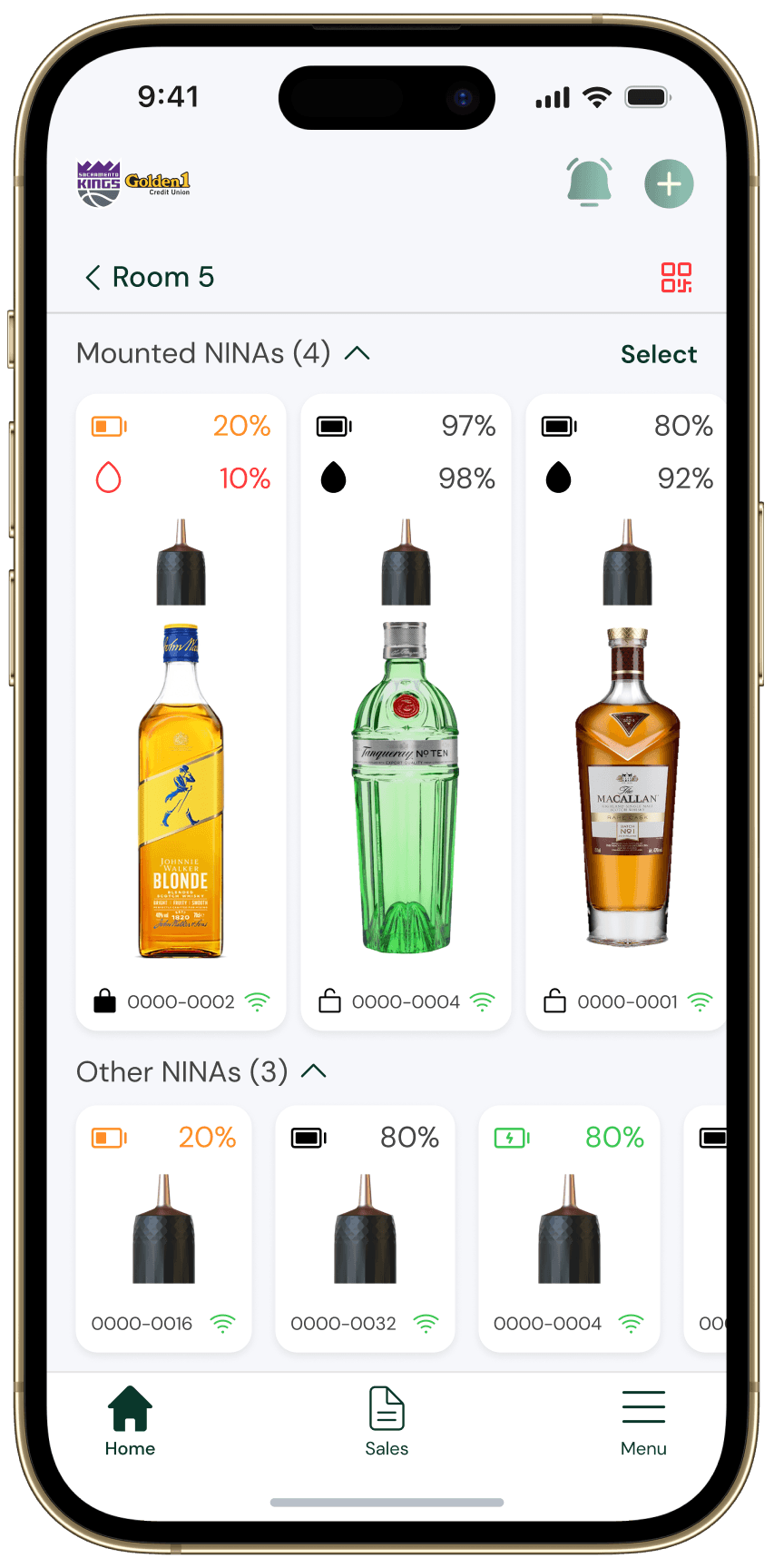
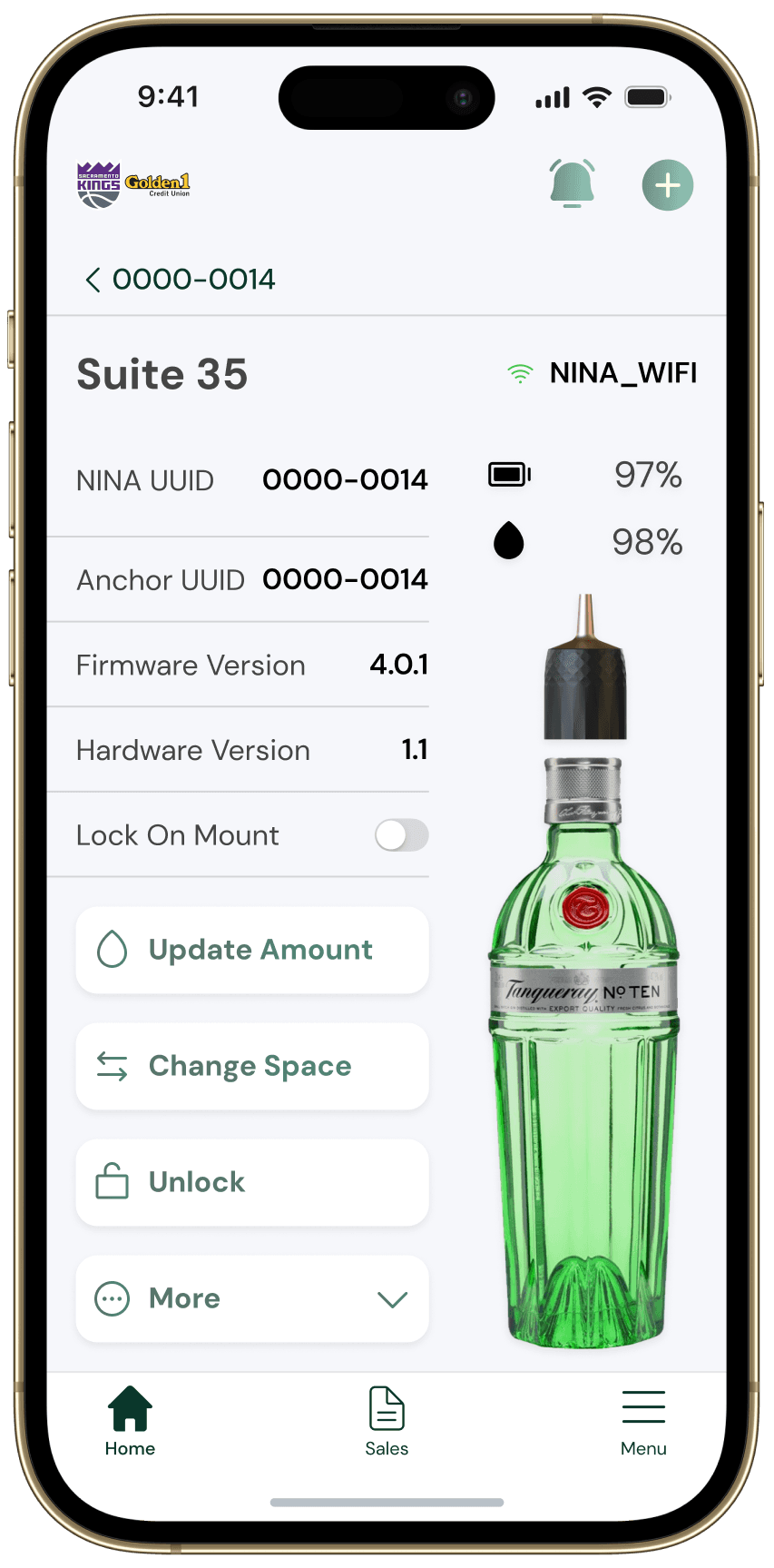
The devices page
- The interface mirrors the physical NINA stand, so operators can scan the app alongside it.
- The hierarchy prioritizes two main operations: swapping depleted bottles and low-battery devices.
Bottle service
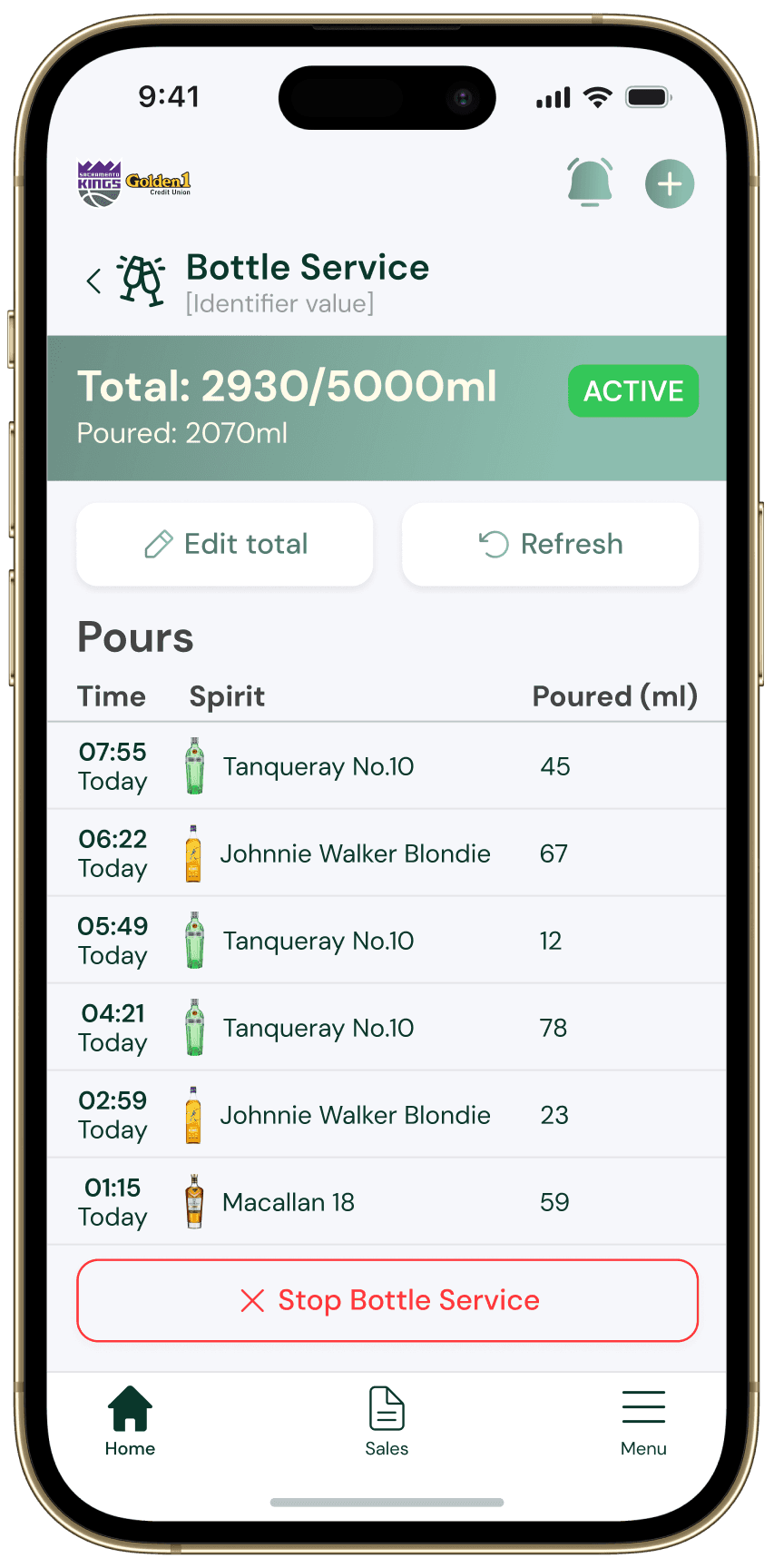
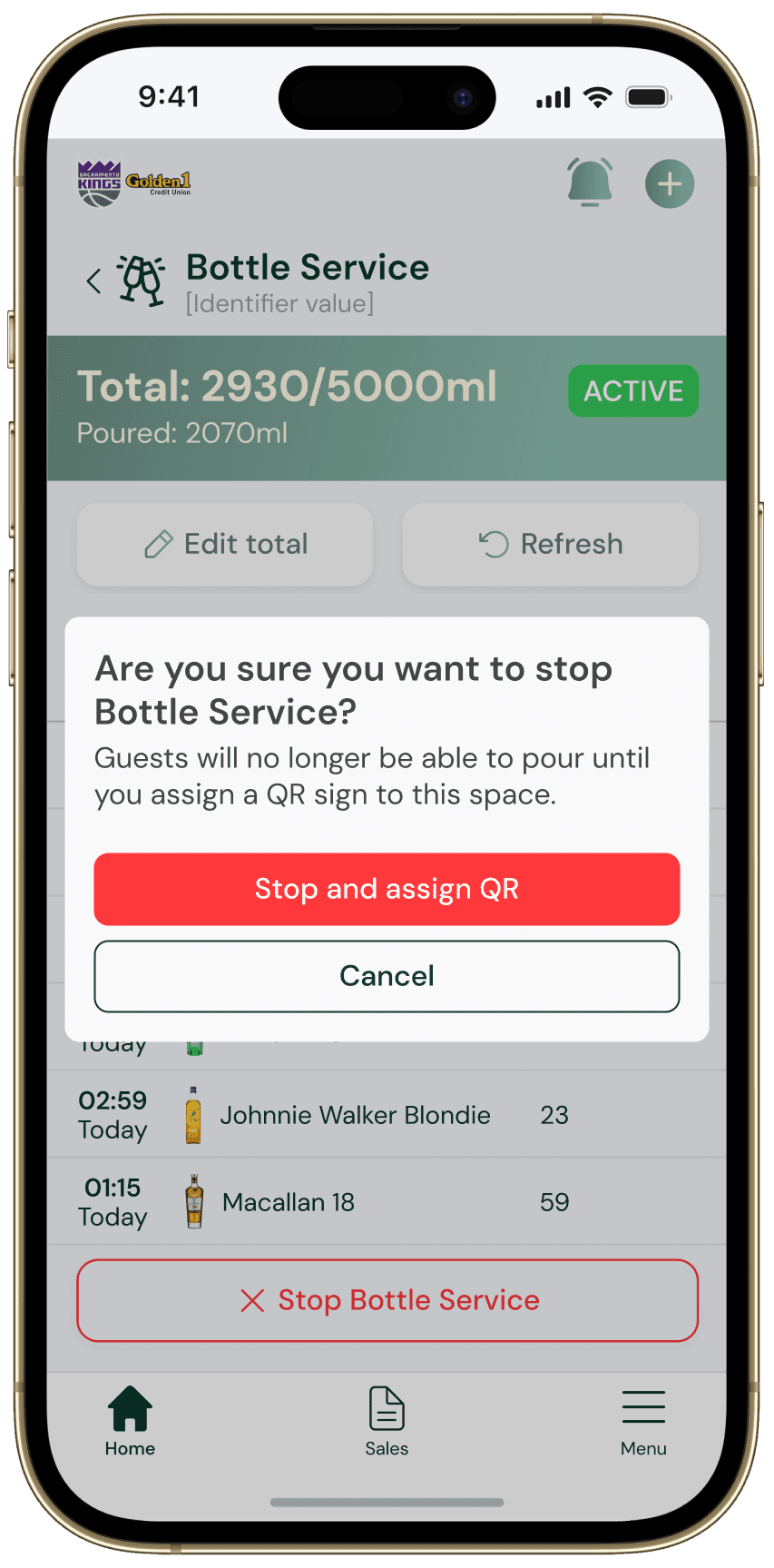
The bottle service page
- A guest calls an operator and pays for every drink in the room, like an open tab.
- Other guests no longer need the application to pour, since one guest pays for the drinks.
- Bottle images help operators quickly identify drinking trends.
- Operators must see the consequences of stopping bottle service.
Tab management
Tabs
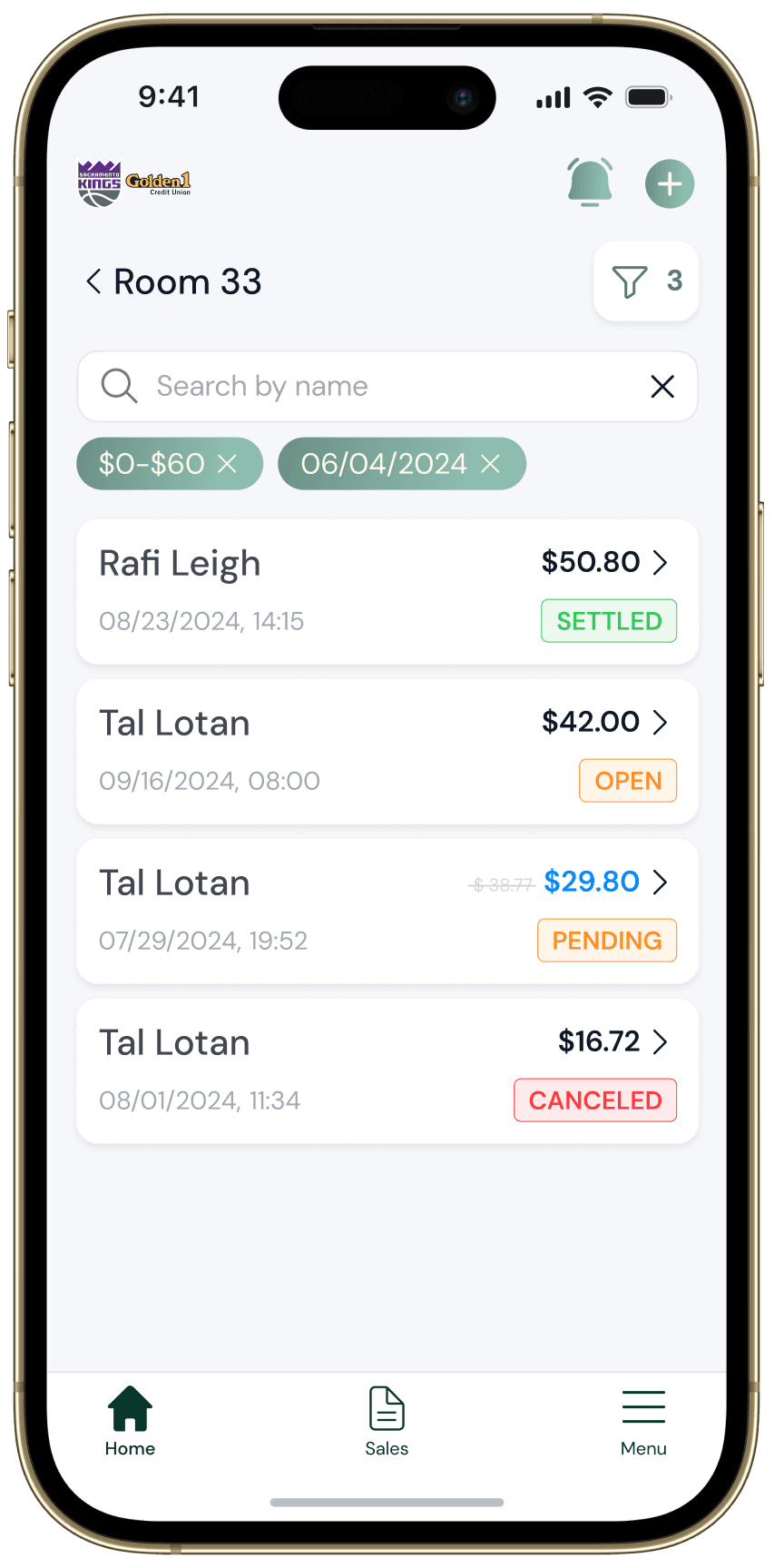
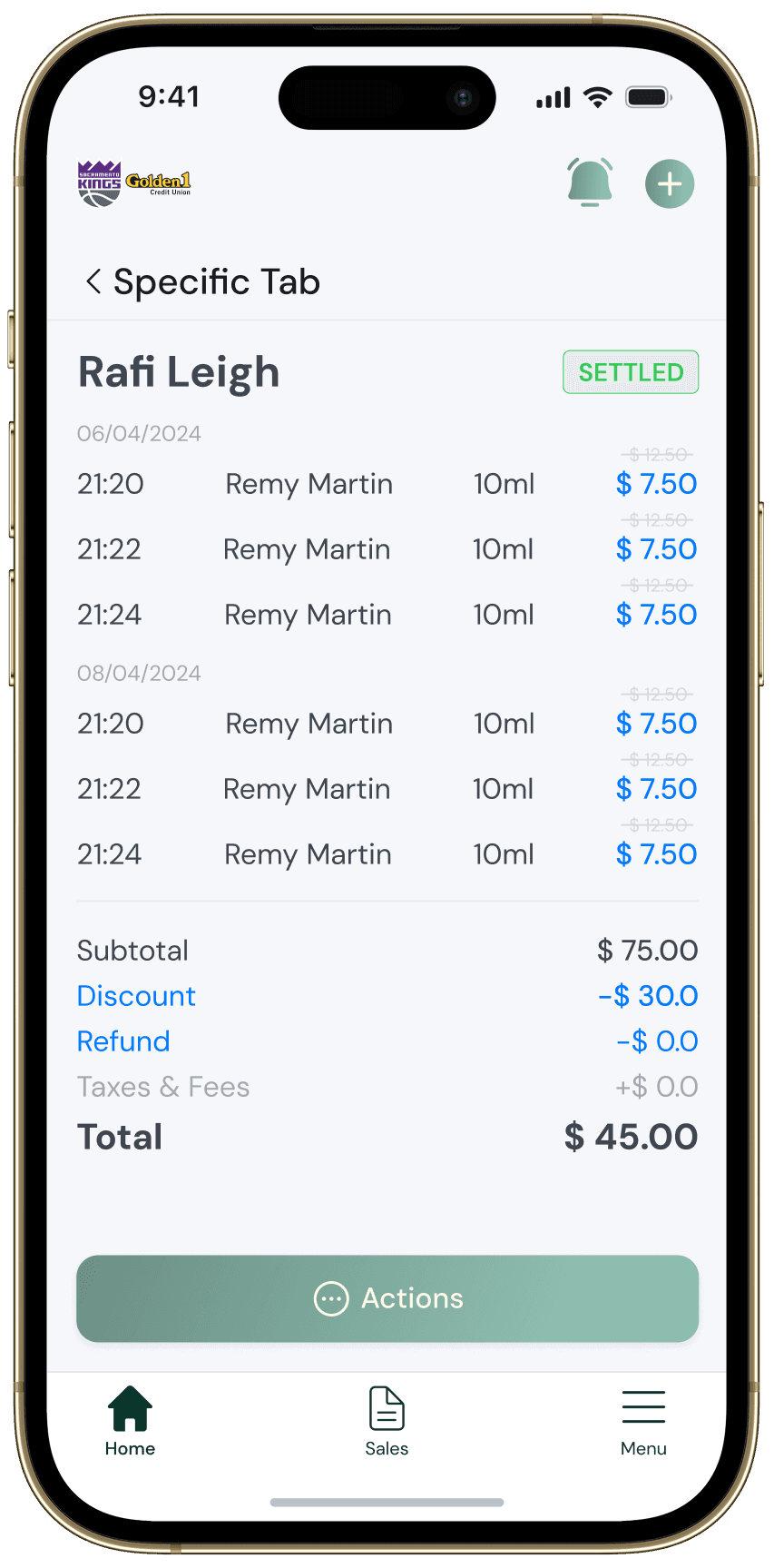
- Operators can view tabs and their status.
- Clientele can be treated with discounts and refunds when needed.