Airport Border ControlSystem Redesign
A border crossing risk assessment platform designed for airports.
The product
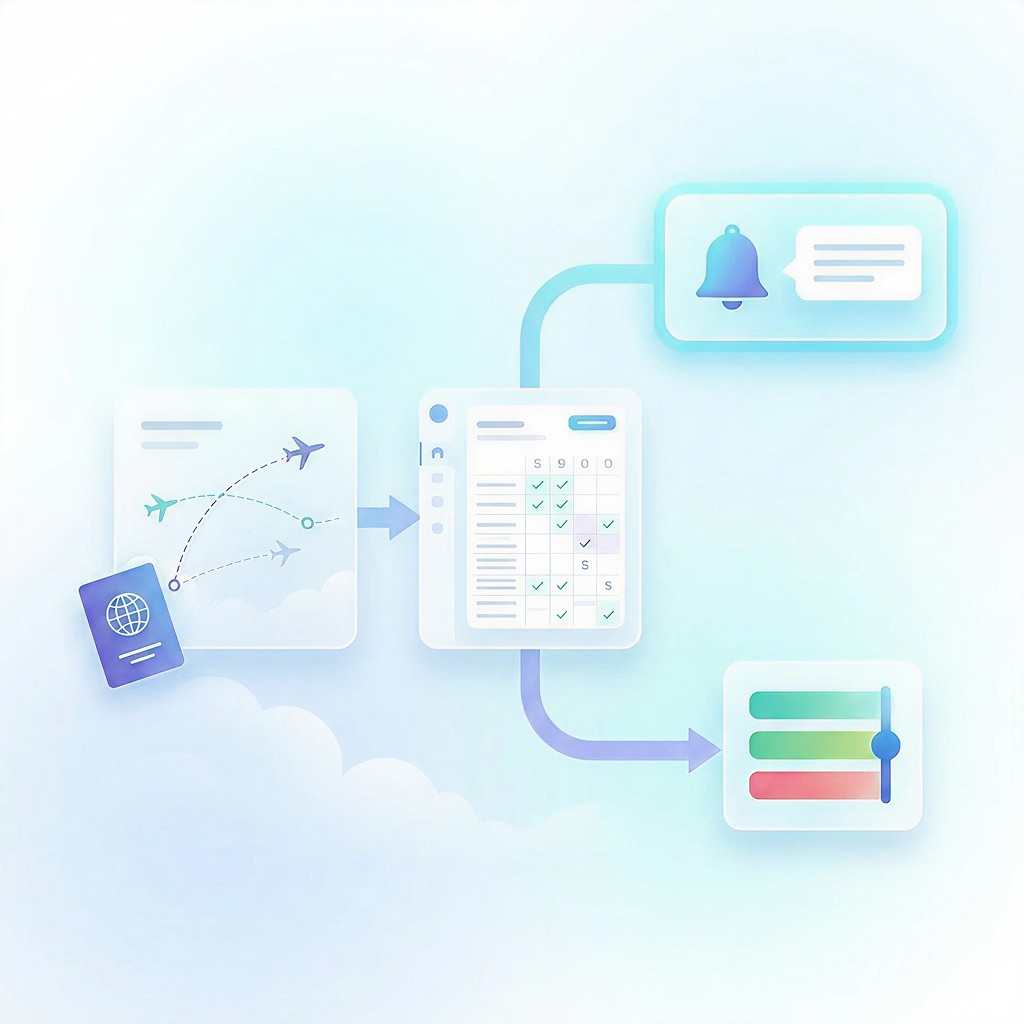
- Ground Controls is an airport border control monitoring system that tracks travelers going in and out of the country.
- Border control intelligence happens well before the passenger arrives: the system collects data from the moment a plane ticket is purchased.
Main features
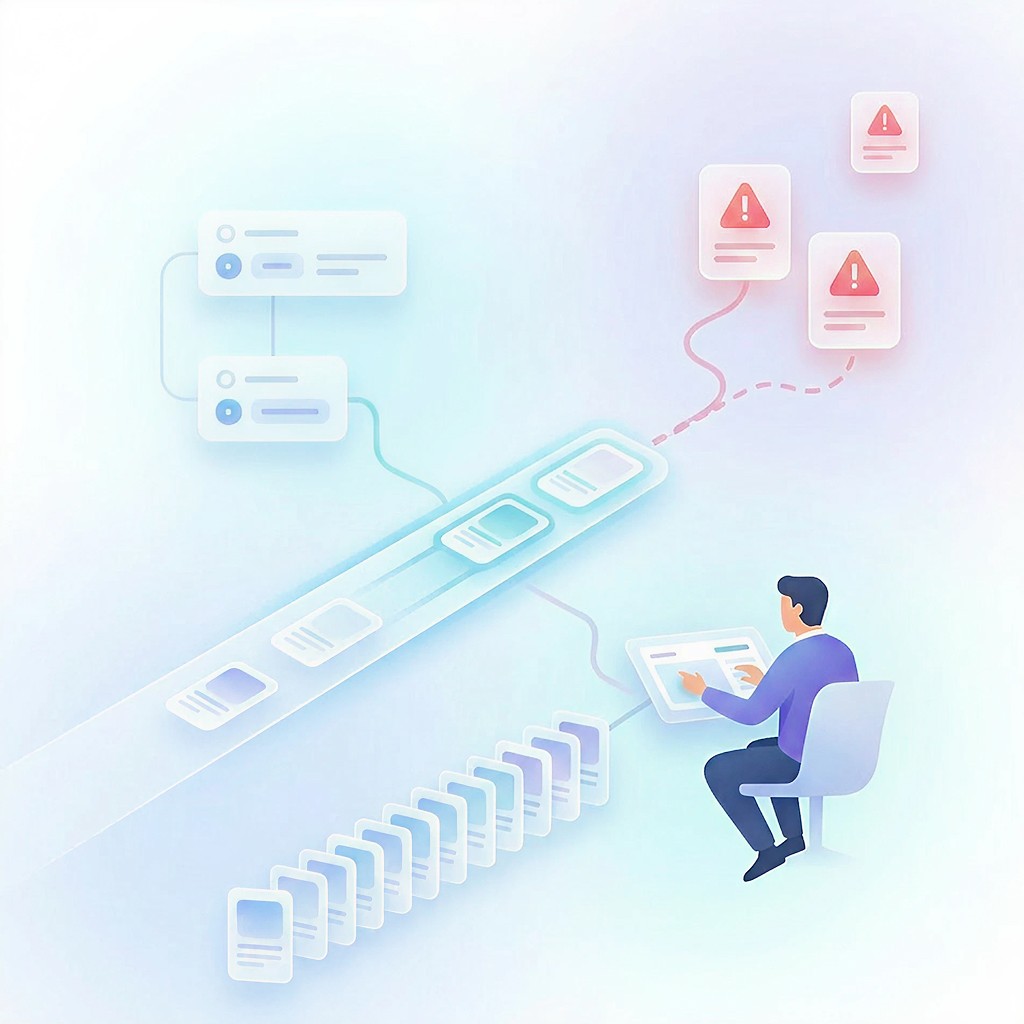
- Crossing profiles: each crossing event gets its own passenger profile, so analysts can correlate data between passengers.
- Rule engine: airport officers create custom rules that trigger actions when crossing events meet their conditions.
Main challenges
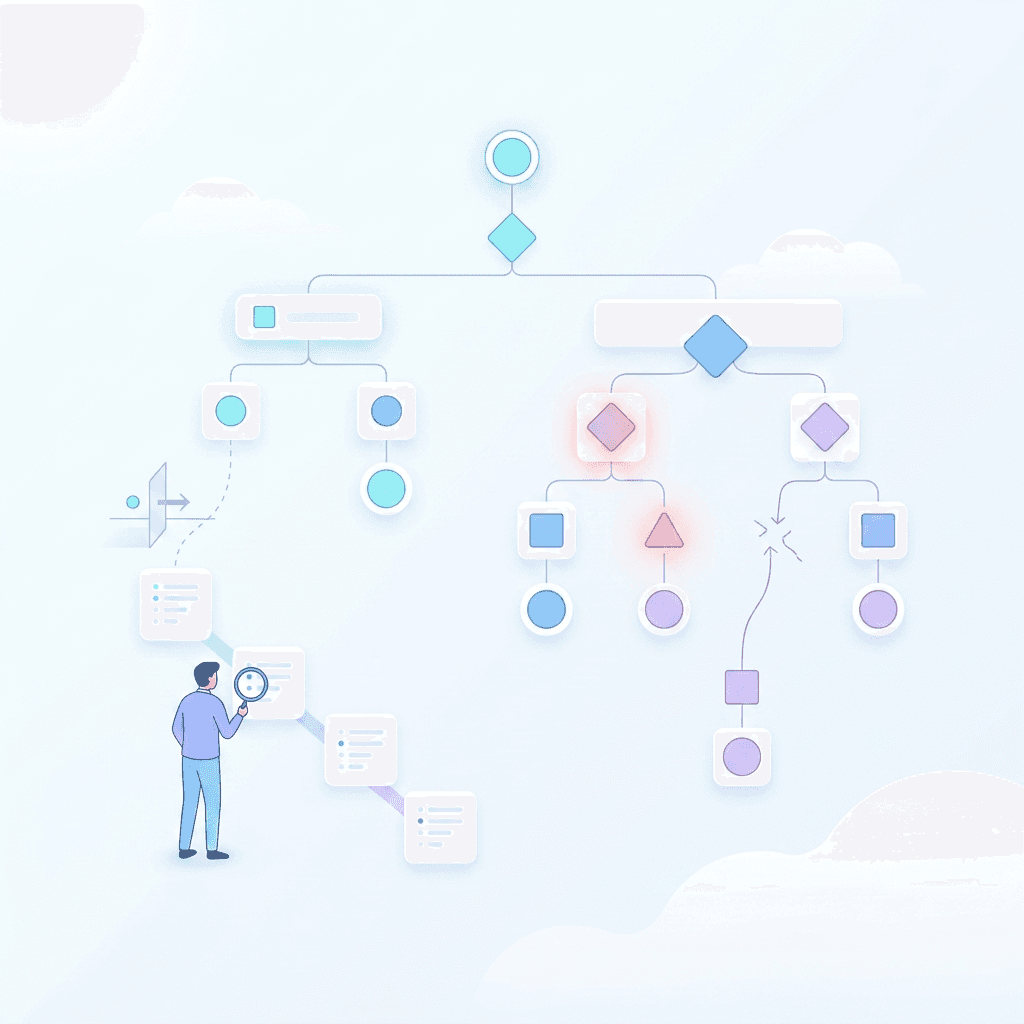
- Analysts process thousands of crossings a day, so airport status has to be readable at a glance.
- Rules automatically monitor airport activity whenever a crossing misses security protocol, so their logic must be precise.
User roles
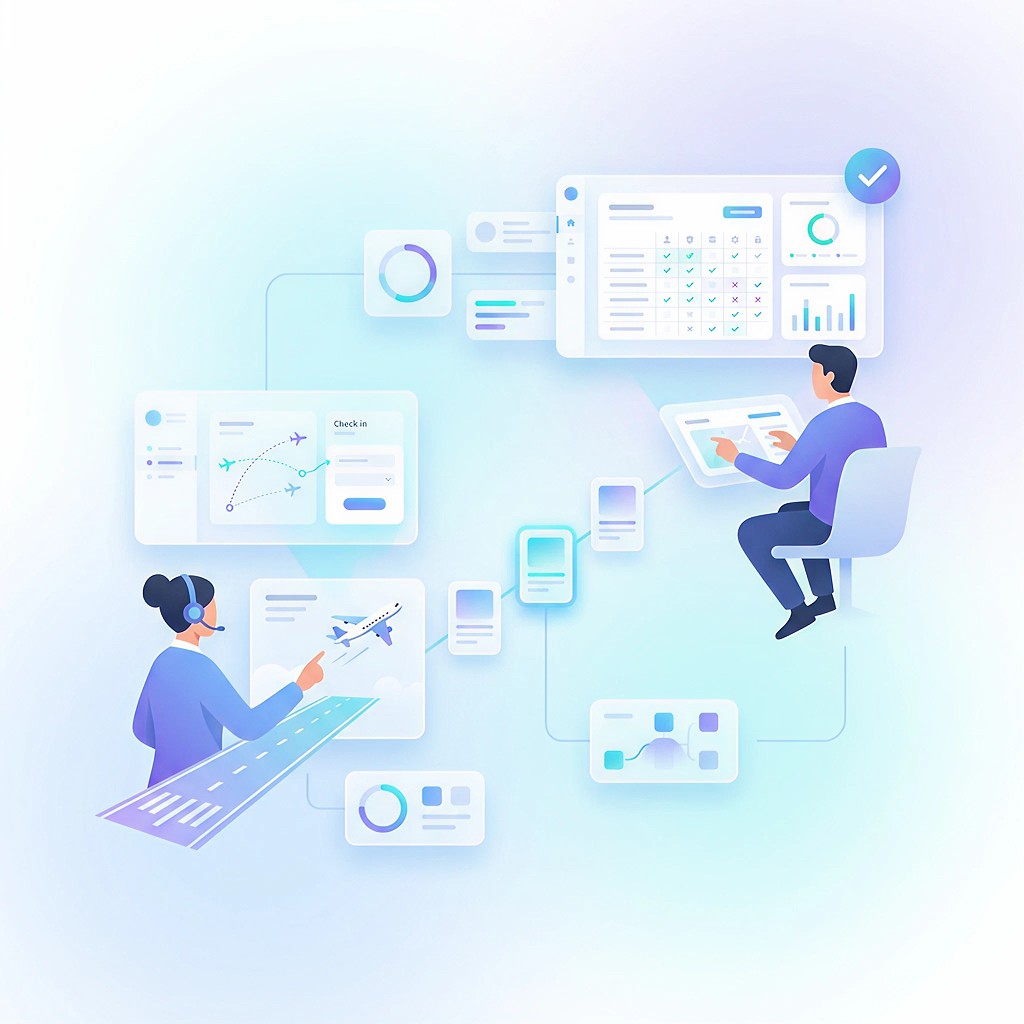
- Heavy users, non-builders: analysts who don’t build rules but continuously investigate and monitor airport activity.
- Light users, builders: admins who build rules to match changing guidelines, need only an overview, and assign investigations to analysts.
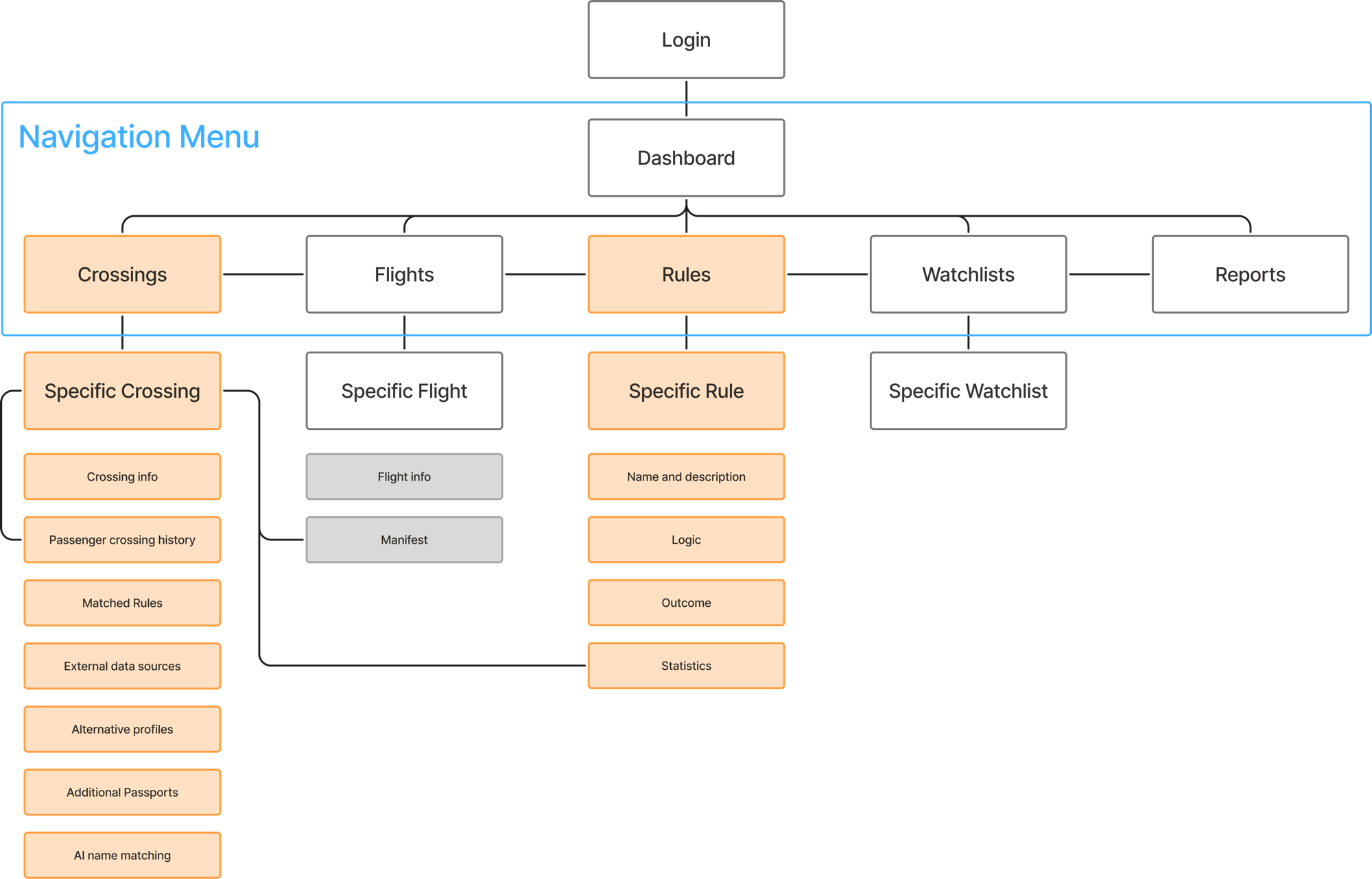
Information architecture
Admins
How do admins build rules?
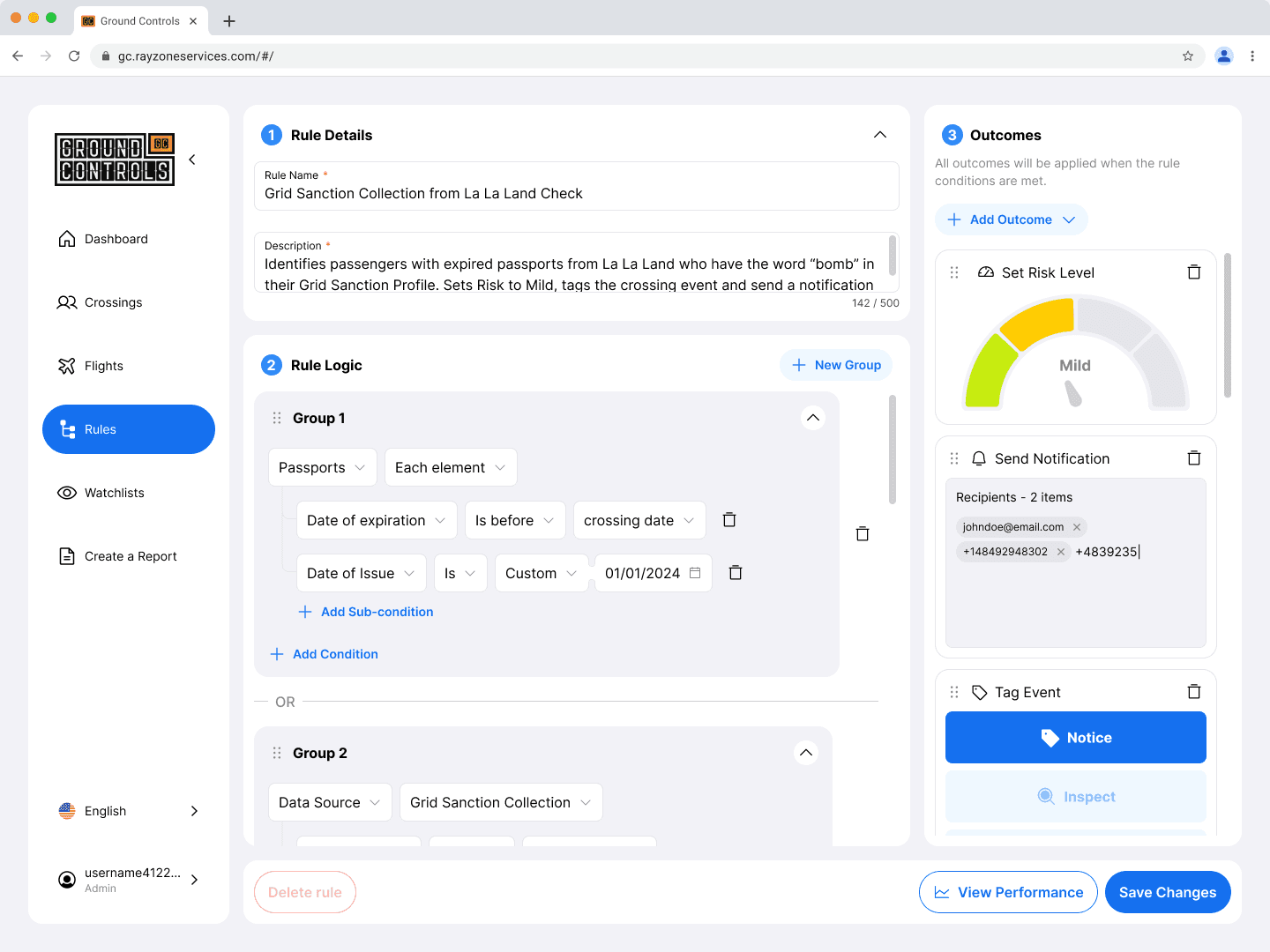
Rules exist for automation: marking crossing events that miss security guidelines, and extracting intel on selected passengers from external sources. Admins open the Rules page, then name the rule and define its conditions and outcomes.
Drag to compare
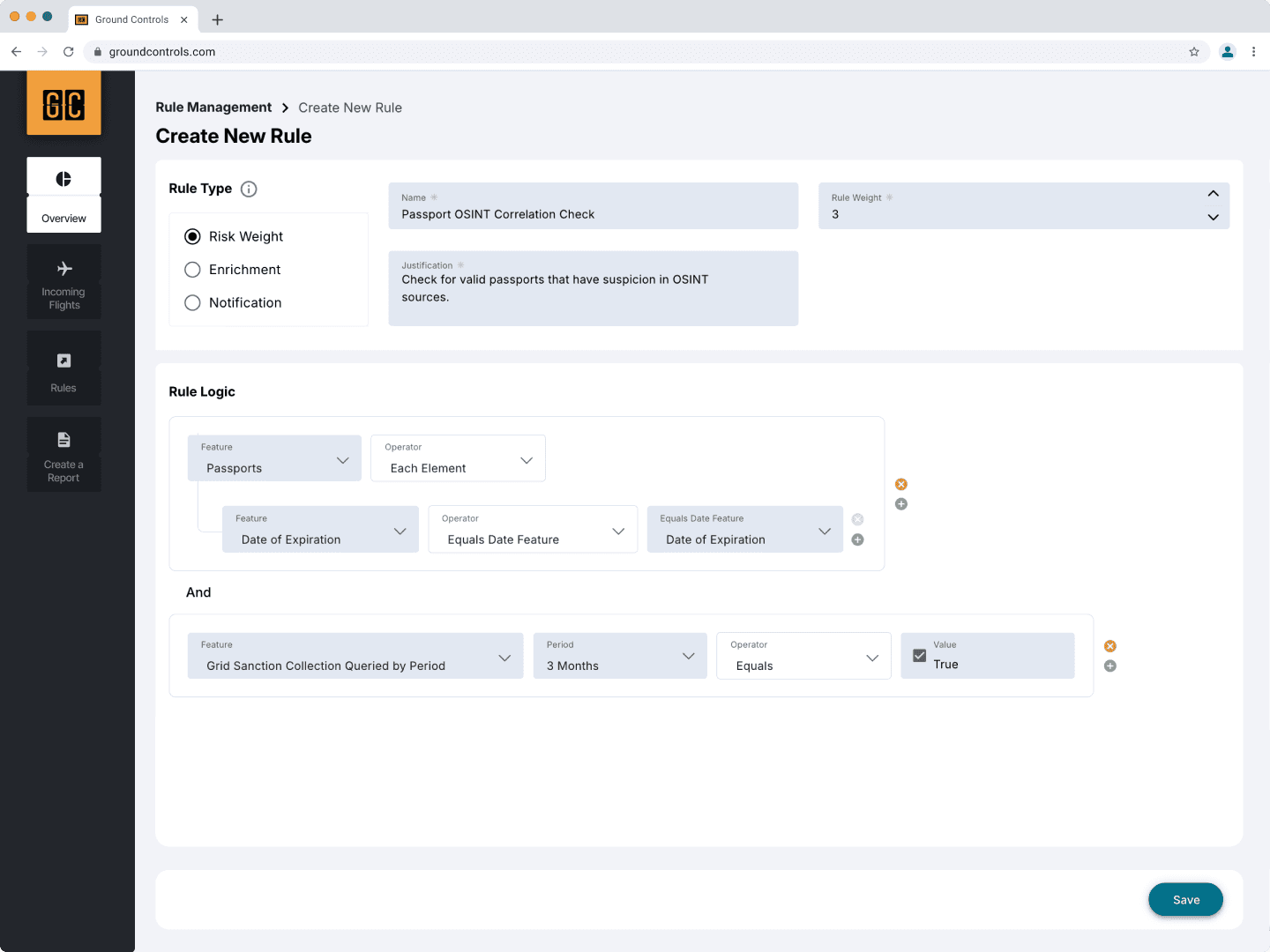 BeforeAfter
Reversed cause and effect
Users had to choose what a rule would do before defining when it would do it.
Flipping things around
Users now define the logic first, and only then decide the outcomes.
A single outcome per rule
Admins had to re-create the same rule just to set another outcome.
Multi-outcome rules
Outcomes became flexible, leaving admins free to focus on the logic.
Unused complex logic
There were almost 60 logics to build rules from, and most were never used.
Simpler logic building
Choices were reduced to the simplest logics, organized by category.
Outdated UI
C-level stakeholders requested a modern, tech-like look and feel.
Modern UI, improved architecture
Soft colors with just enough white space to improve readability.
Rule creation: the core flow
- 1
Name it
Enter the name of the rule and a short description.
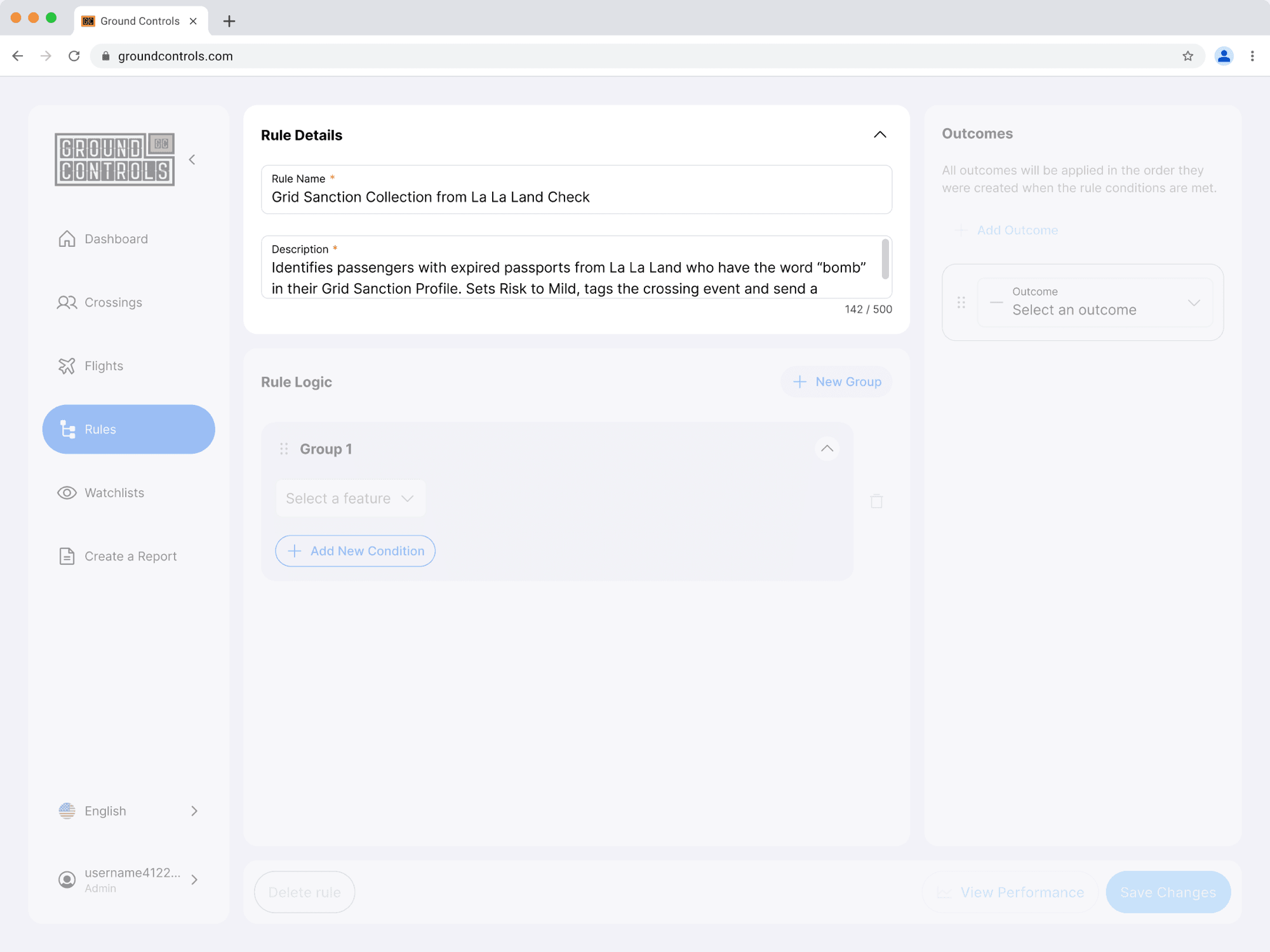
- 2
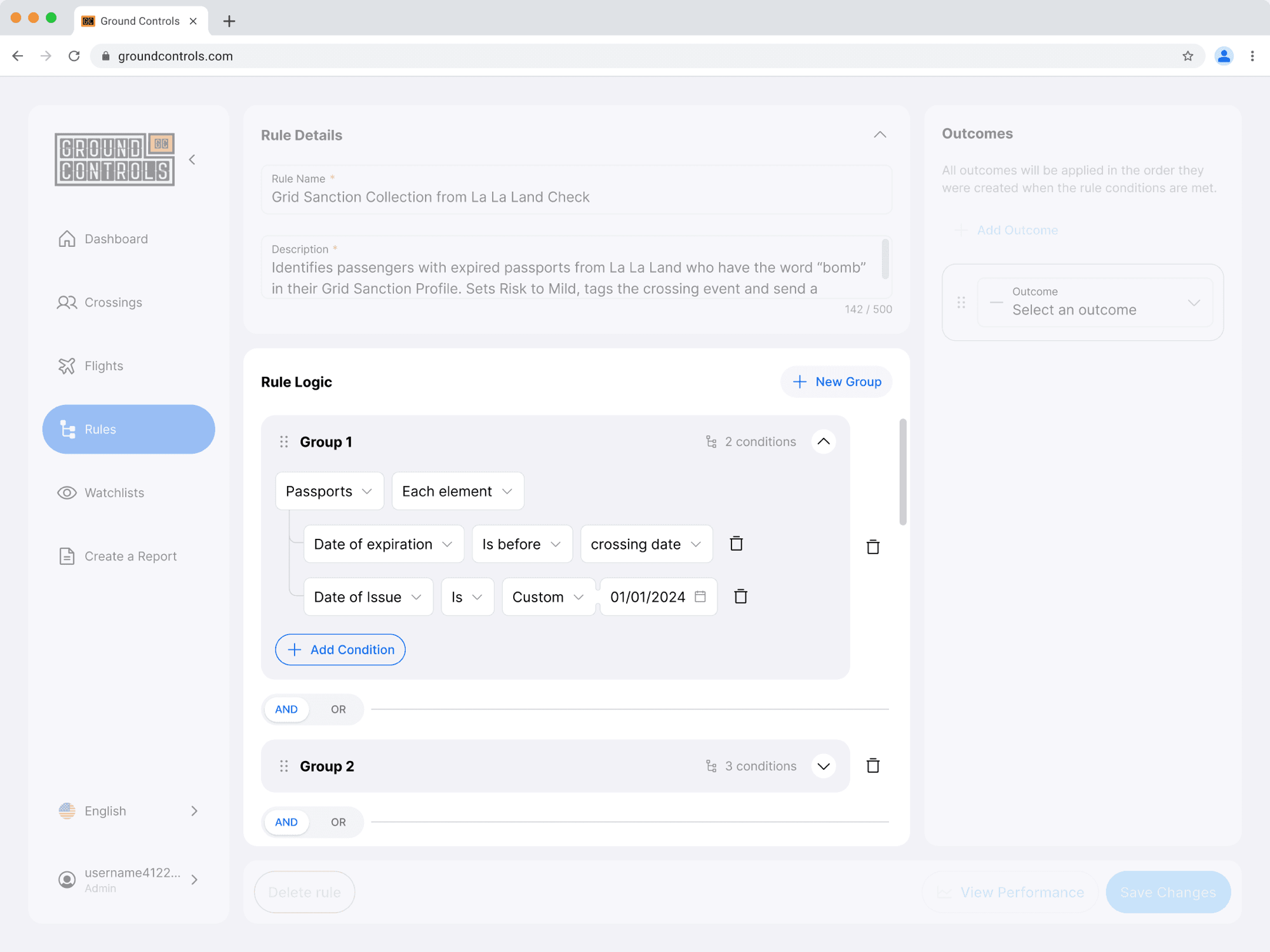
Build the logic
Build conditions based on passenger characteristics and crossing details.
- 3
Set the outcomes
Set the rule’s outcomes, each with its own module.
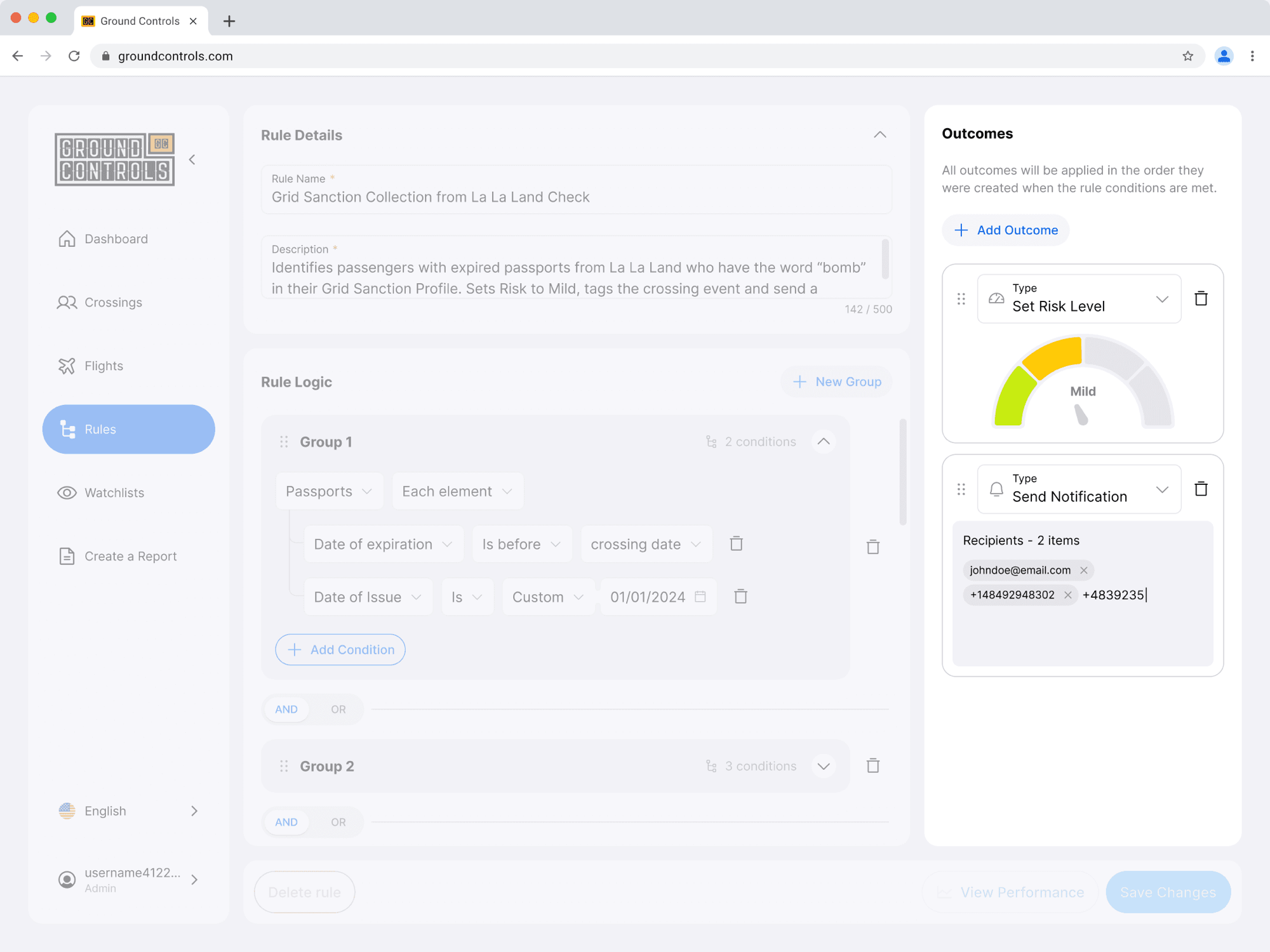
Rule outcomes
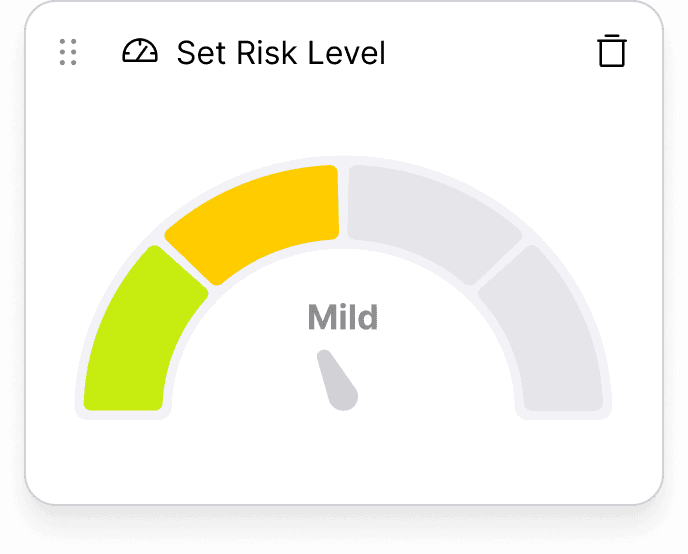
Set risk
Define how dangerous a crossing event is, from low to high, with a color for each level.
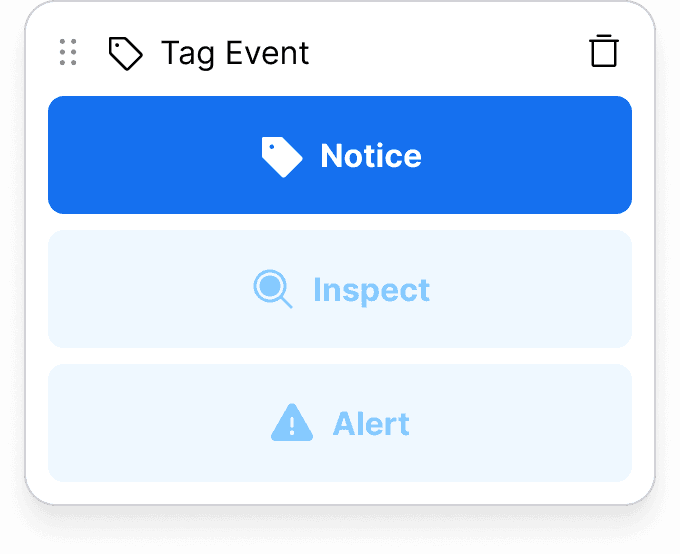
Tag crossing
Mark events with one of three severities, to show which are worth noting beyond their risk level.
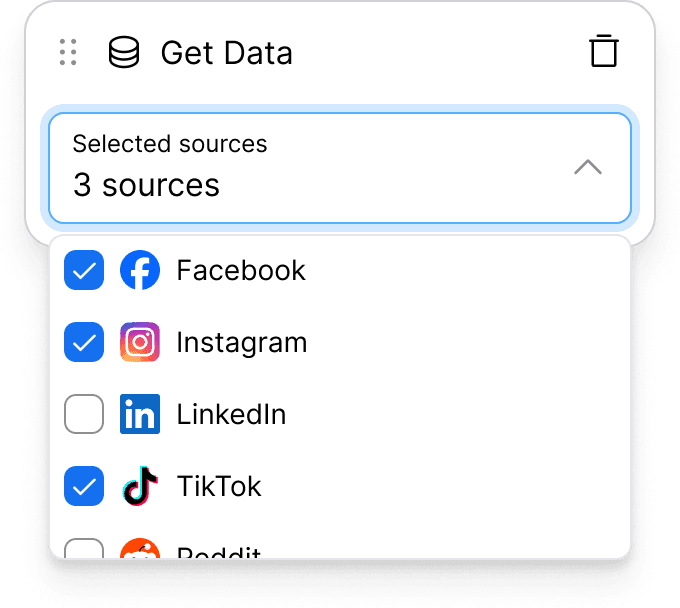
Get data
Retrieve more information about passengers from external sources like criminal records or social media.
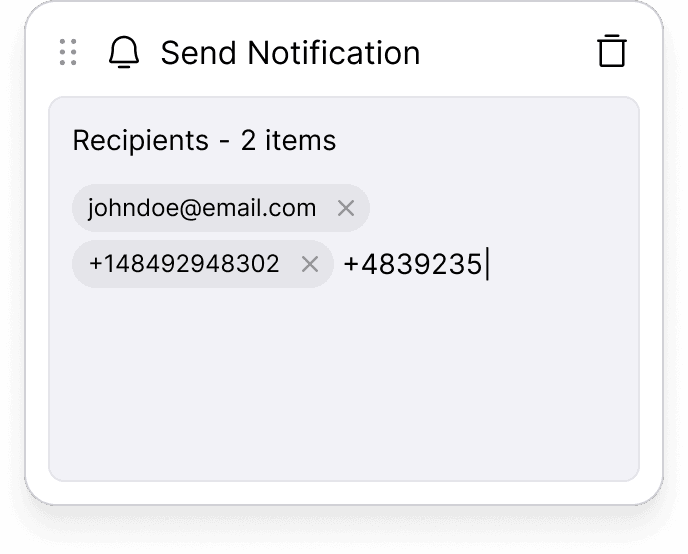
Send notification
Send an automated, pre-scripted email or SMS to selected people.
Analysts
How do analysts monitor airport activity?
Analysts open the Crossings page to see the latest events. When looking for specific individuals, they filter the table and inspect events one by one.
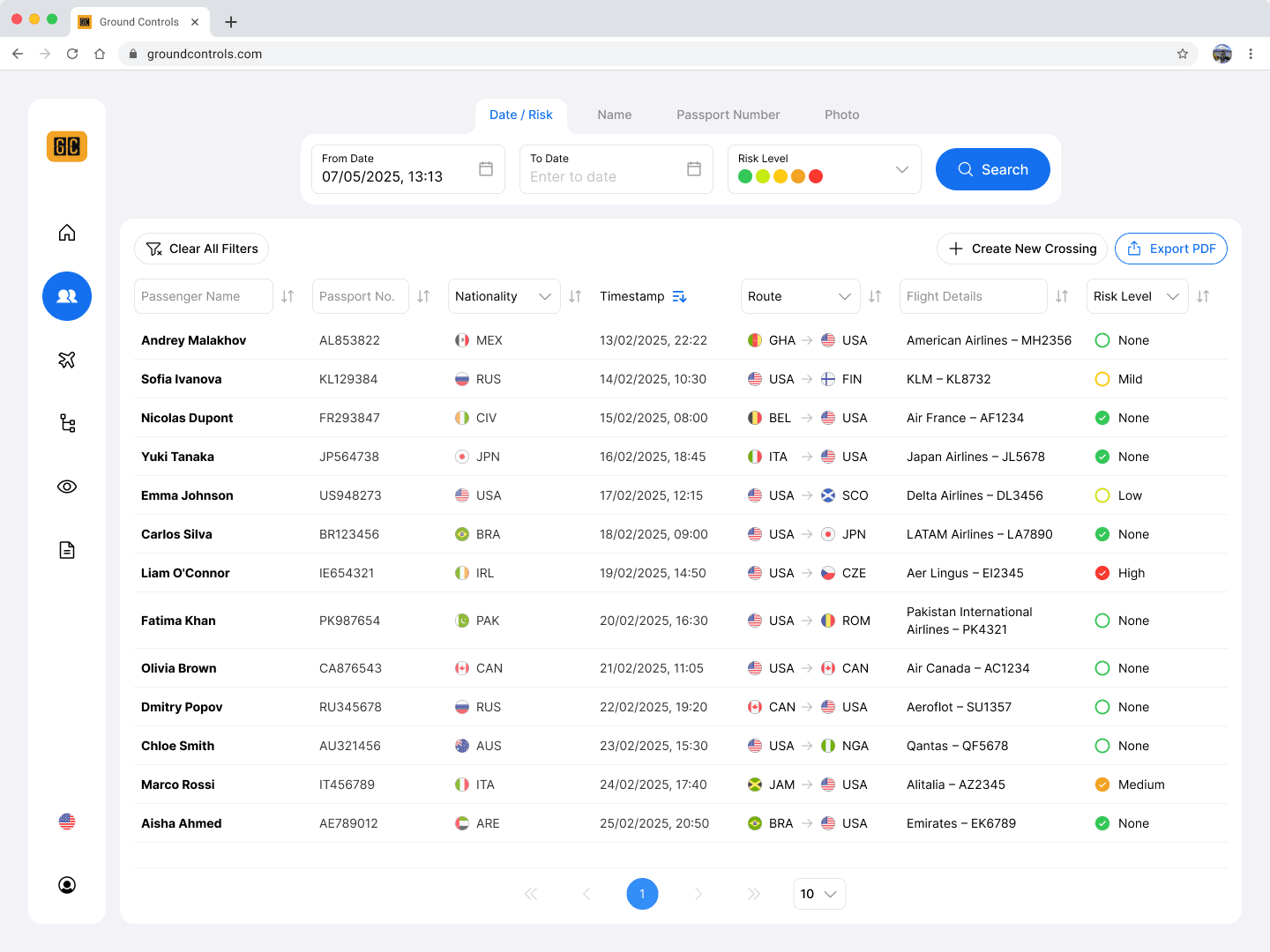
Each passenger going through immigration appears as a crossing event. Analysts query the database by crossing date, risk level, passenger photos and more.
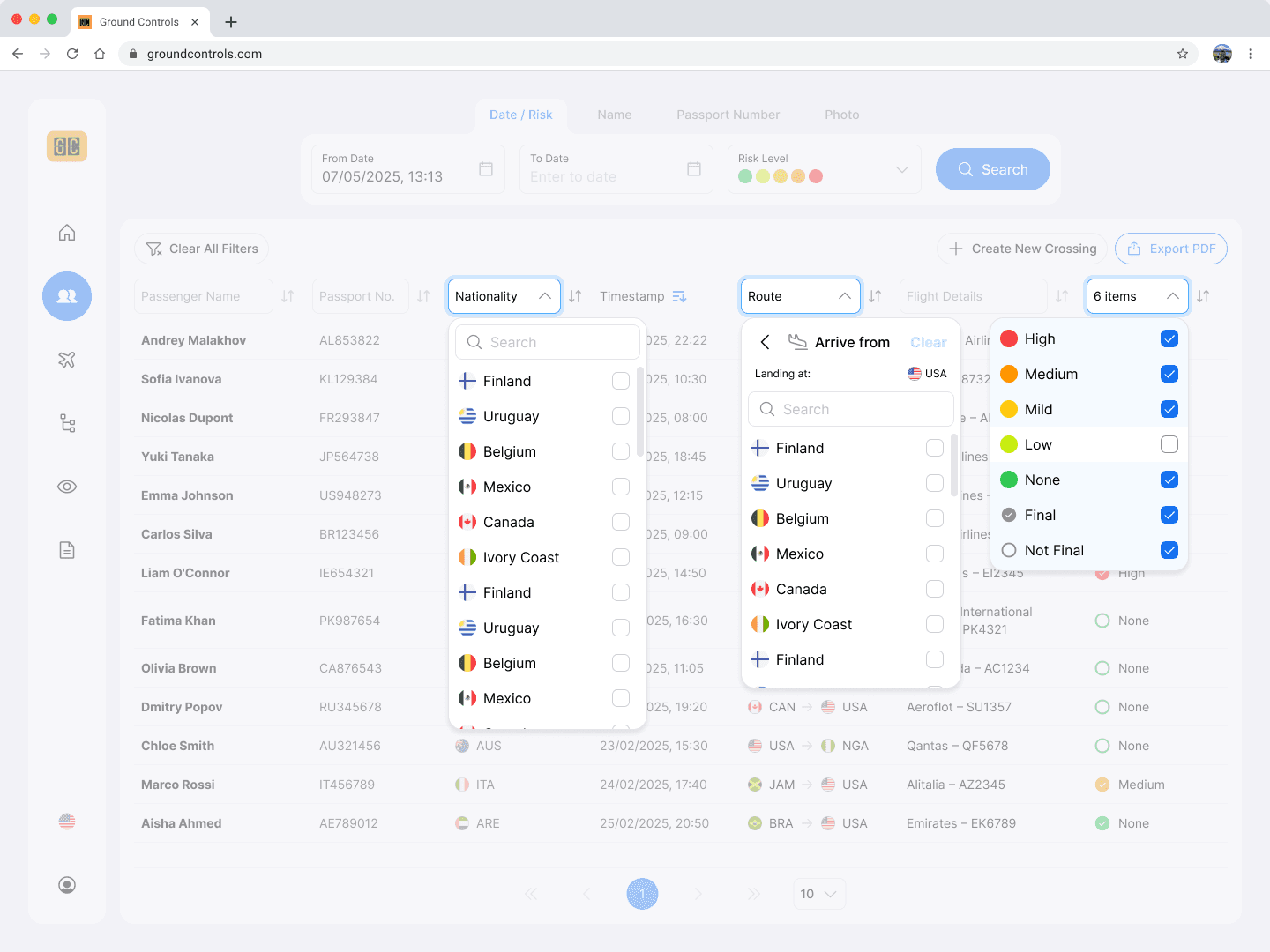
Once events are retrieved, analysts can filter further. The inline filter headers came from another company product, which allowed quick implementation and suits constantly switching between filters.
Drag to compare
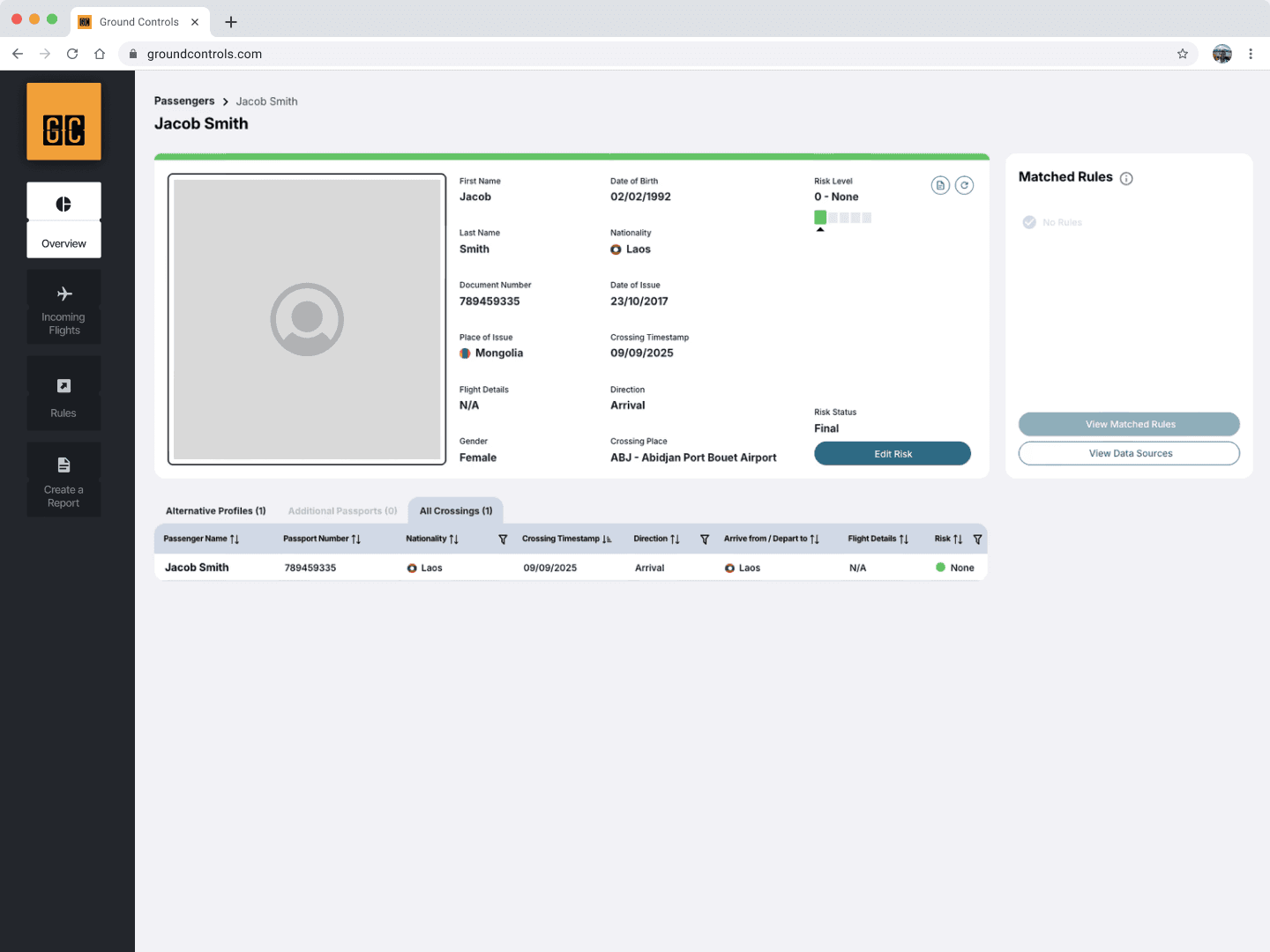
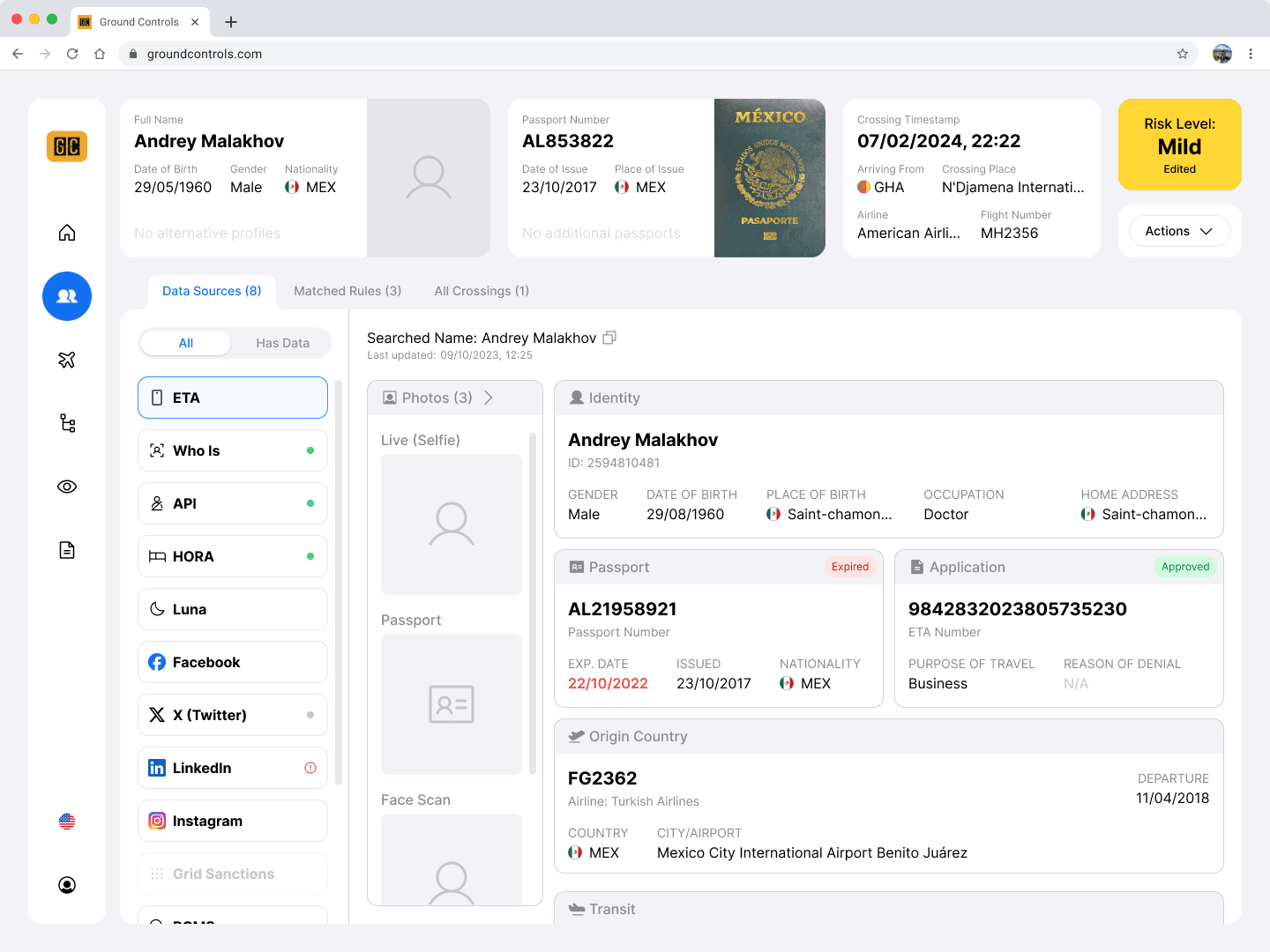
A crossing event
 BeforeAfter
Data redundancy
Details already seen in the crossings table got the most focus, making the page repetitive.
Restructured layout
Basic details moved to the top, so in-depth investigation flows below became the center of attention.
Unnecessary back-and-forth
Getting more data on a passenger from external sources meant navigating to another screen.
Quick access to more info
All available sources are one click away, keeping the investigation in context.
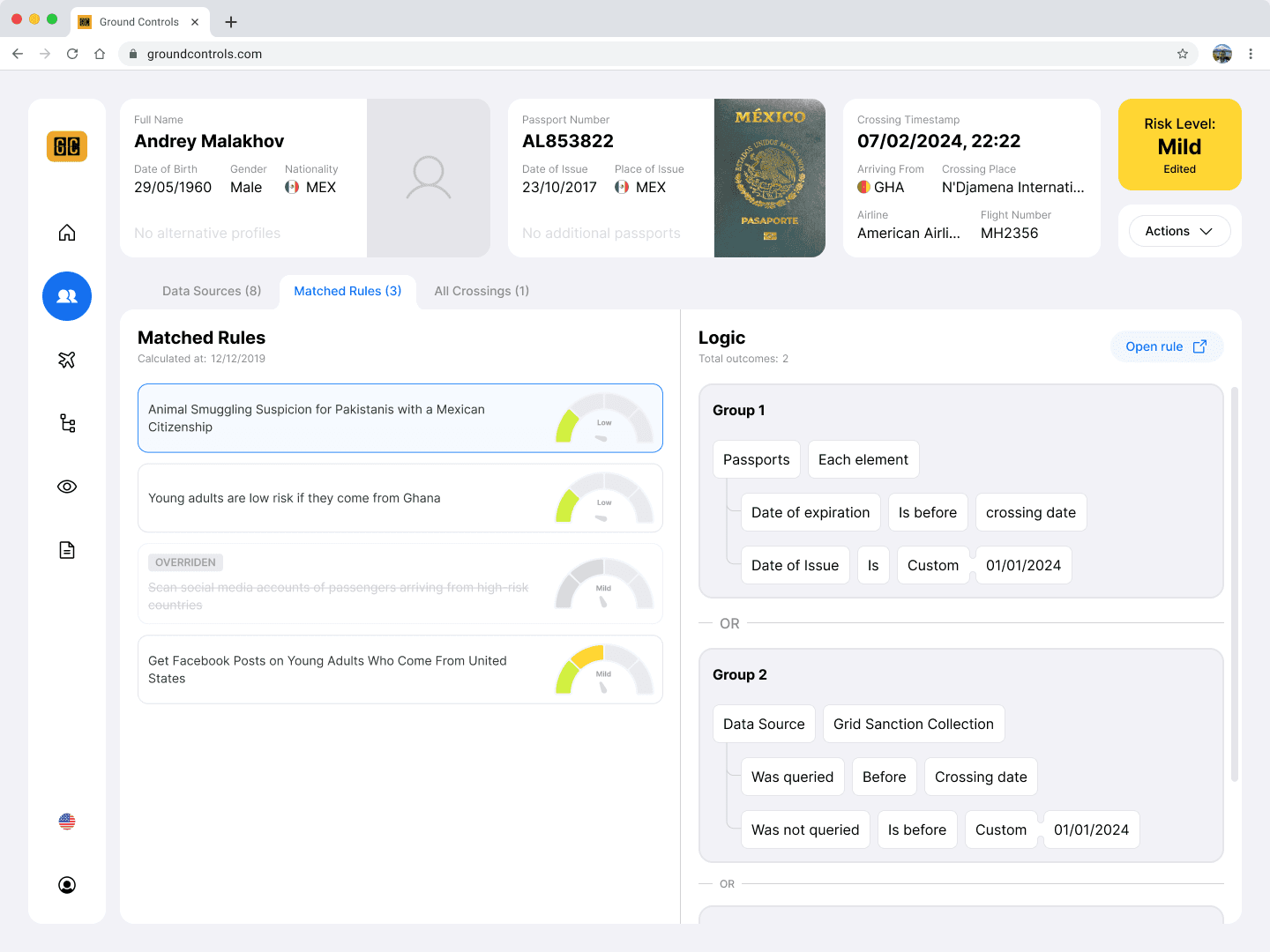
Each crossing gets a risk level. Airport officers can view the rules that matched the crossing and take action.